

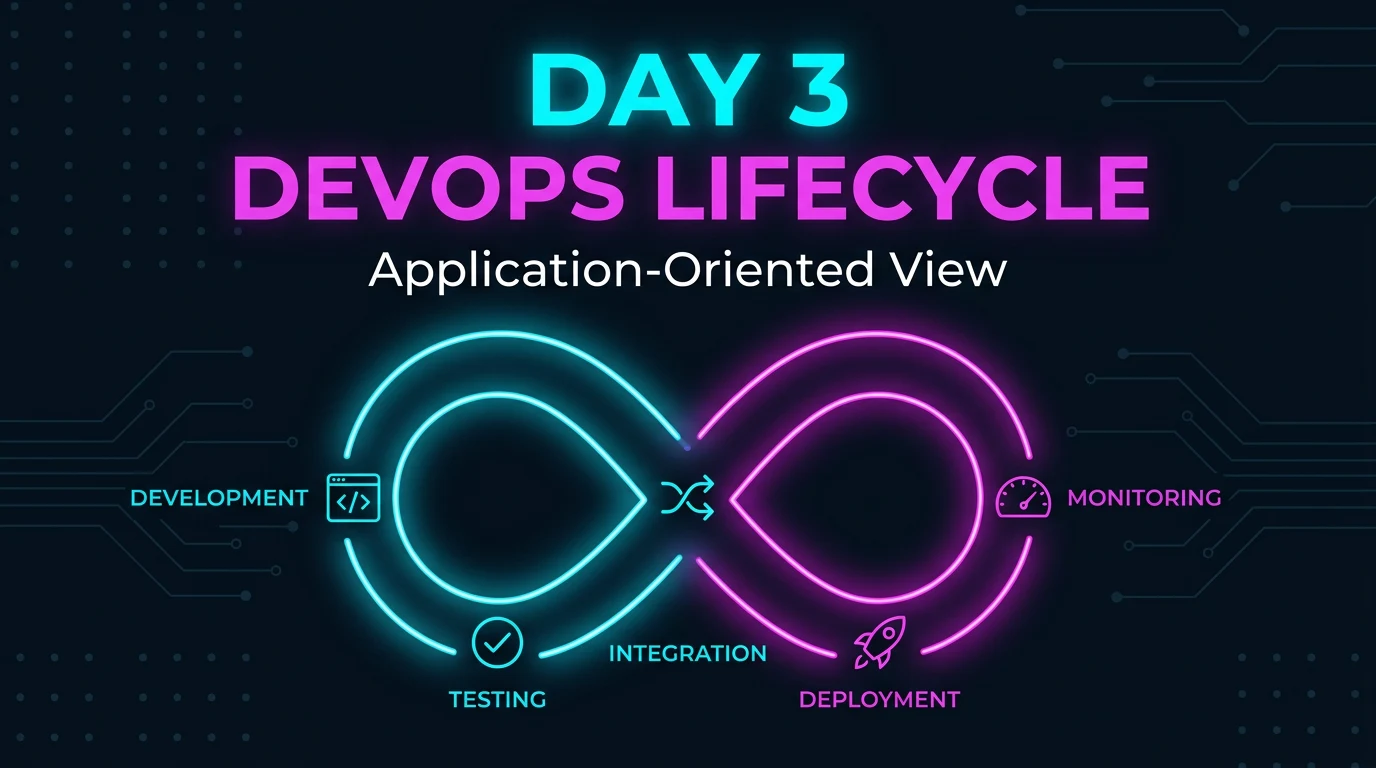
In Day 1 we defined DevOps as culture and practice; in Day 2 we looked at what DevOps engineers actually do. Today we zoom out again — to the lifecycle of an application from first line of code to production and back. You’ll see the same themes (continuous development, testing, deployment, monitoring) over and over in this series; what changes each time is the lens. Here the lens is the application itself: what happens to it at each stage and why it matters.
This hour we walk through the full loop — then we’ll keep coming back to it as we add tools and automation in the following weeks.
Development
Start with a brand‑new app: nothing exists yet. As a developer you’d talk to the client or end users, capture requirements, and turn them into a plan. Then you build the application to match those requirements.
At this stage the only real choices are your IDE and programming language. As a DevOps engineer you’re usually not the one writing the product roadmap or the application code — that’s the development team. But it helps to be able to read the code. That way you can make better decisions about infrastructure, deployment, and configuration without guessing.
One requirement applies regardless of who writes the code: everything must live in version control. We’ll go deep on Git later; for now, treat it as non‑negotiable. Even solo projects benefit from a repo — and most projects have more than one developer. Code lives in a repository (often GitHub or GitLab, or a self‑hosted option), and that repo is the single source of truth for what gets built, tested, and deployed.
Testing
Once you have requirements and a codebase, you need to test it — in environments that resemble the ones where the app will run. That means running tests in dev, and ideally in staging or test environments that mirror production.
QA can run manual and exploratory tests, but the heavy lifting should be automated. Containers are often used to model test environments cheaply, without spinning up full physical or cloud infra for every run. This stage is usually automated as part of continuous integration: every commit (or every merge) triggers a test run. Automating tests beats scaling to dozens or hundreds of manual testers; those people can focus on higher‑value work while the pipeline catches regressions early. In traditional waterfall releases, testing is often the bottleneck; in a DevOps flow, it’s a fast, repeatable step inside the loop.
Integration
Integration sits at the heart of the DevOps lifecycle. The practice is simple: developers integrate their changes into the main codebase frequently — daily or at least weekly. Each integration (e.g. each commit or merge) kicks off automated builds and tests. Problems show up early, before the next stage, instead of piling up until “integration hell” at the end of a release.
You might think: “We don’t build our app — we buy it from a vendor.” Many organizations do. In that case the vendor owns development, testing, and integration; you may still take over the last stages (deployment, monitoring) so you can ship and run the product faster and more predictably. And even if you only consume software today, understanding the full lifecycle pays off tomorrow — or in your next role.
Deployment
By this point the application is built and tested against your requirements. Deployment is the step where that application is rolled out to production so real users can use it.
This is where it gets interesting — and where the next many days of the series will spend a lot of time. Different apps need different hardware and configuration. Application configuration management and infrastructure as code (IaC) become critical: you define servers, containers, and config in code so deployments are repeatable and auditable. The app might run in containers, on virtual machines, or in a mix. Kubernetes and other orchestrators help run and scale those containers and keep them in the desired state. We’ll unpack these topics in detail in the coming weeks so you know what they are and when to use them.
Monitoring
The loop doesn’t stop at “deployed.” The world changes; you ship new features and fixes. You need to know that the app is healthy, performant, and available for users.
Monitoring is that feedback mechanism. You track performance, errors, latency, and resource usage so developers and operators can make data‑driven decisions about the next improvements and releases. Reliability is the goal: the app should be available whenever users need it. From there, the picture expands into observability (logs, metrics, traces), security (vulnerabilities, compliance), and data management (backups, retention). All of this feeds back into the loop: better visibility → better decisions → better next release.
Community input (e.g. from practitioners like @_ediri) often adds one more concern: FinOps. Applications and data run and live somewhere — cloud, on‑prem, or hybrid. You need to watch cost so that growth or change in usage doesn’t turn into surprise bills. FinOps practices help keep spend visible and under control without blocking delivery.
DevOps is a mindset, not just a job title
“DevOps engineer” is a convenient label for this series, but in practice DevOps is something many roles do, not a single job. Cloud engineers, platform engineers, SREs, system administrators, and developers who own deployment all apply DevOps practices. The ideas in this article — lifecycle, automation, feedback — apply to all of them. So use “DevOps” as a way to describe the process and culture; don’t treat it as the only job title that gets to own this loop.
What’s next
Next we’ll start attaching concrete tools to each stage: source control (Git), CI (e.g. GitHub Actions, GitLab CI), deployment and orchestration, and monitoring. You’ll build a clear map of what goes where in the lifecycle and how the pieces connect.
If you take one thing from today: the DevOps lifecycle is a continuous loop around the application — develop, test, integrate, deploy, monitor, then repeat. Every stage feeds the next, and monitoring feeds back into development. Your job is to make that loop fast, reliable, and visible.
Resources
Curated links to deepen your understanding of the DevOps lifecycle, CI/CD, and related practices.
- CI/CD methodology overview — Continuous integration vs. delivery vs. deployment (Atlassian).
- Continuous Integration — IBM YouTube — Short explainer on CI.
- Continuous Testing — IBM YouTube — Role of testing in the pipeline.
- Continuous Monitoring — Why monitoring closes the loop.
- What is FinOps? — FinOps Foundation — Introduction to cloud financial operations.
- DevOps Roadmap — Visual roadmap for learning DevOps topics.
- The Phoenix Project — Novel about IT, DevOps, and delivery (book, not free).