

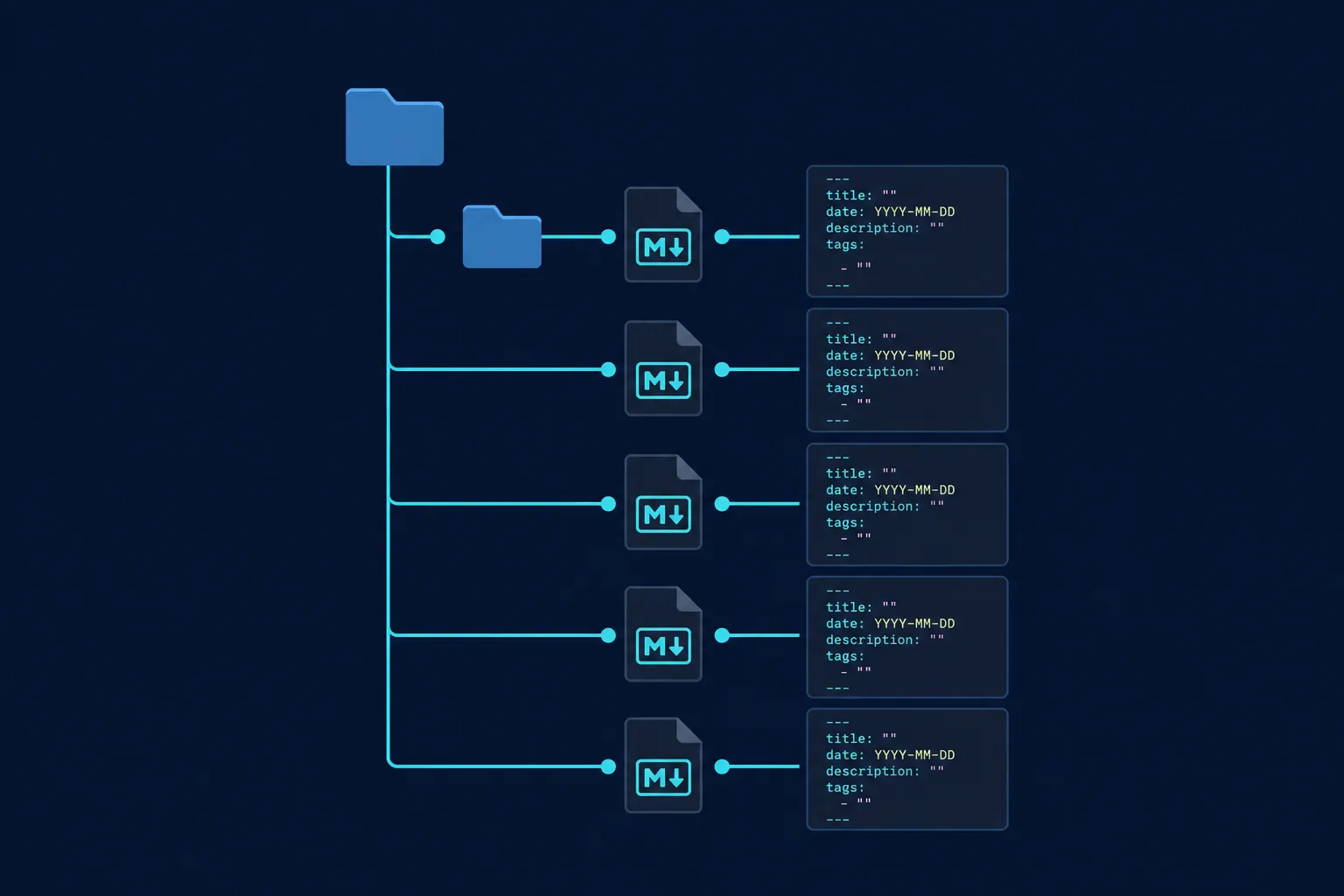
You have read the theory. Open Knowledge Format promises a portable bundle of canonical facts that humans and agents can traverse. What you probably do not have yet is a folder on disk that passes validation and actually works when you paste it into a coding agent’s context.
That gap is smaller than it looks. OKF v0.1 is not a platform. It is Markdown files, YAML frontmatter, and relative links in a directory. The builder reference at openknowledgeformat.com ships copy-ready prompts, templates, and a validator. This article walks through building a minimal bundle from scratch in roughly thirty minutes, using a fictional Playwright checkout project as the domain.
What you are building
A knowledge bundle is a directory whose unit of meaning is one concept file per idea: one API contract, one regression scope, one metric definition. Each file has frontmatter with a required type field and a Markdown body with sections and links to related concepts.
The bundle we will build:
playwright-checkout/okf/
├── index.md
├── log.md
├── services/checkout-api.md
├── api-contracts/create-order.md
└── quality/regression-scope.md
Five files. Enough to demonstrate structure, linking, and validation. Not enough to maintain forever; the QA-specific bundle follow-up expands the tree.
Step 1: Create the root index
Every bundle starts with index.md. Agents and humans scan it first to see what concepts exist and where they live.
---
type: Index
title: Checkout Service Knowledge Bundle
description: Canonical knowledge for the playwright-checkout API and its QA scope.
timestamp: 2026-11-01T00:00:00.000Z
tags: [checkout, qa, api]
---

## Checkout knowledge bundle

## Services

- [Checkout API](../services/checkout-api.md)

## API contracts

- [Create Order](../api-contracts/create-order.md)

## Quality

- [Regression scope](../quality/regression-scope.md)

### Change log

See [log.md](../log.md) for bundle updates.
Note the links: file-relative paths like ../services/checkout-api.md, not URLs. That keeps the bundle portable when you zip it, copy it into a repo, or hand it to a tool that only sees a filesystem.
Step 2: Add a log file
The OKF examples on openknowledgeformat.com include a log.md for bundle-level changes. That is not application runtime logs, but a human-readable audit of when concepts were added or reviewed.
---
type: Log
title: Bundle change log
description: Record of concept additions and reviews for this OKF bundle.
timestamp: 2026-11-01T00:00:00.000Z
---

## Change log

| Date | Change | Author |
|---|---|---|
| 2026-11-01 | Initial bundle: checkout API, create-order contract, regression scope | qa-lead |
Keeping a log separate from Git history is optional but useful when the bundle lives outside the application repo or when non-developers review concepts without reading diffs.
Step 3: Write three concept files
Each concept needs type in frontmatter. OKF v0.1 does not mandate a closed enum. Teams define types that match their domain. The builder site uses labels like Metric, API Endpoint, and Constraint. For a checkout service, Service and API Contract are enough to start.
Service concept (services/checkout-api.md):
---
type: Service
title: Checkout API
description: HTTP service handling cart checkout and order creation.
resource: repo://services/checkout-api/README.md
owner: commerce-platform
status: active
timestamp: 2026-11-01T00:00:00.000Z
tags: [checkout, api, orders]
---

## Checkout API

Owns order creation and payment handoff for the storefront.

## Related concepts

- [Create Order API](../api-contracts/create-order.md)
- [Regression scope](../quality/regression-scope.md)

## Citations

[1] [Service README](repo://services/checkout-api/README.md)
API contract (api-contracts/create-order.md):
---
type: API Contract
title: Create Order
description: Creates a customer order from cart items.
resource: https://api.example.com/v1/orders
method: POST
path: /v1/orders
status: active
timestamp: 2026-11-01T00:00:00.000Z
tags: [orders, api, checkout]
---

## Create Order

Endpoint: `POST /v1/orders`

## Required fields

- `customer_id`
- `currency`
- `items` (non-empty array)

Each item requires `product_id`, `quantity`, and `unit_price`.

## Related concepts

- [Checkout API](../services/checkout-api.md)
- [Regression scope](../quality/regression-scope.md)

## Citations

[1] [OpenAPI spec](repo://services/checkout-api/openapi.yaml)
Quality concept (quality/regression-scope.md):
---
type: Quality Scope
title: Checkout regression scope
description: Mandatory automated checks before releasing checkout-api.
resource: docs://qa/regression/checkout
owner: qa-platform
status: active
timestamp: 2026-11-01T00:00:00.000Z
tags: [regression, checkout, release]
---

## Regression scope

Before any checkout-api release:

1. API contract tests for `POST /v1/orders` (happy path + validation errors)
2. Playwright smoke: cart → checkout → confirmation
3. Payment stub integration (no live Stripe in CI)

## Related concepts

- [Create Order API](../api-contracts/create-order.md)
- [Checkout API](../services/checkout-api.md)
The pattern repeats: short body, explicit links, optional resource URI pointing at the authoritative source (repo://, docs://, or an HTTPS URL).
Step 4: Use the prompt generator (optional shortcut)
If you prefer to generate a first draft rather than typing frontmatter by hand, the OKF prompt generator on the builder site accepts a project type (SaaS app, API docs, AI agent context, and others) and emits a prompt you paste into your coding agent. The output should still be reviewed: generated bundles often over-split concepts or omit status and owner fields your team actually needs.
Treat generated output as a scaffold. Rename types to match your vocabulary, merge duplicate concepts, and add links the model missed.
Step 5: Validate the bundle
The OKF validator on the same site checks hard v0.1 rules (required type, structural expectations) and flags soft quality issues (missing title, broken link targets, thin descriptions).
Typical failures on a first pass:
| Issue | Fix |
|---|---|
Concept file without type | Add type: to frontmatter |
| Link to missing file | Create the target or fix the path |
Empty title or description | Fill recommended fields; agents filter on them |
| Absolute URLs where file links were intended | Prefer ../quality/regression-scope.md for in-bundle navigation |
Validation is worth running before you commit the folder or attach it to an agent workflow. A broken link in a bundle is worse than no bundle: the agent follows it, gets nothing, and hallucinates the gap.
Step 6: Wire it into an agent session
OKF does not require a special runtime. For a coding agent:
- Point
AGENTS.md(or equivalent) at the bundle: “Before changing checkout-api, readokf/index.mdand follow links to relevant concepts.” - On a task about release readiness, paste or
@-referencequality/regression-scope.mddirectly. - When the API changes, update the concept file in the same PR as the code. Same discipline as updating a test.
That is the whole integration for v0.1. No vector database, no custom parser beyond what your agent already does with Markdown.
What this bundle does not do yet
This minimal set does not include:
- Constraints for agent safety boundaries. See the dedicated constraint files article in this series.
- Metrics with calculation rules. Add under
metrics/when definitions must be exact. - RAG over archives. The bundle holds canonical truth; historical tickets still belong in vector search. Hybrid routing covers when to use which.
If you already run a project memory folder with bugs.md and decisions.md, you are halfway here. OKF adds typed concepts, stable paths, and link traversal. The next article maps that migration explicitly.
Checklist before you share the bundle
index.mdlists every concept with a working link- Every concept file has
type,title,description,timestamp - Active contracts and scopes have
status: activeand anowner - Validator passes with no hard errors
log.mdrecords the initial import
Thirty minutes buys you a bundle an agent can navigate without guessing which Slack thread holds the regression list. The theory in RAG Is No Longer Enough becomes something you can zip and hand to a colleague. That portability is the point of the format.
Common first-timer mistakes
Teams new to OKF often recreate the failures of unstructured wikis inside prettier folders.
One giant concept file. If checkout-api.md also holds API fields, regression lists, and incident notes, you are back to chunking problems. Split by concept type so agents load only what the question needs.
Links only in prose, not in frontmatter. Tags and resource URIs matter for filtering. A link buried in paragraph three is easy for humans to miss and for agents to skip.
Skipping status and owner. Without them, OKF files look authoritative even when abandoned. Context clash between two active-looking files is worse than RAG noise because both carry YAML metadata implying trust.
Validating once, never again. Add validator checks to the same PR workflow as content edits. Broken relative links compound silently when concepts move between folders.
Where this fits in the series
This tutorial is part one of six. After the bundle exists, read OKF for QA teams for a fuller layout, four context layers for where OKF sits next to AGENTS.md and MCP, and context routing when you combine OKF with vector search. The hub article explains why structured bundles matter; this one proves you can ship a working folder before lunch.