

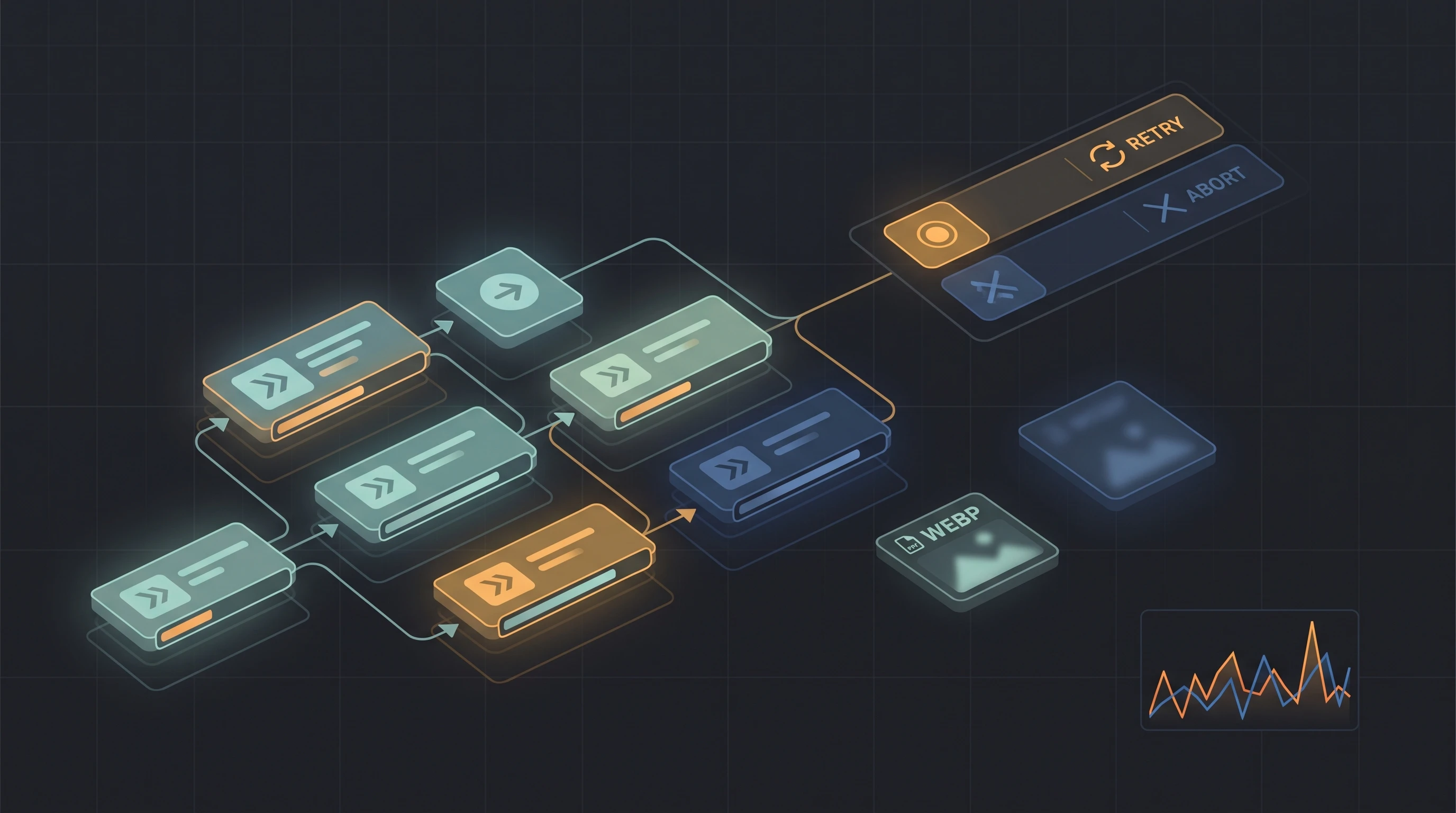
Playwright has reached the point where new releases are no longer only about adding another locator or assertion. The framework is increasingly improving the infrastructure around tests: cancellation, retries, artifacts, API diagnostics, authentication state, component testing, reporters, and even AI-oriented tooling.
I went through the 1.62 release from the perspective of an Automation QA engineer rather than simply repeating the changelog. My main question was simple:
Which changes can actually improve a real test suite?
At the time of writing, 1.62.1 is the current patch release in the 1.62 line. The important new capabilities came with 1.62, while 1.62.1 is a small stabilization update that fixes regressions. I would therefore treat 1.62.1 as the version to install, but the rest of this article focuses on the features introduced in 1.62.
npm install -D @playwright/test@1.62.1
npx playwright install
Why I Think 1.62 Is an Important Release
There is no single feature here that completely changes how Playwright tests are written.
Instead, several smaller additions solve problems that become visible only after a project grows:
- retries that are difficult to analyze in a highly parallel CI run;
- long operations that need explicit cancellation;
- visual snapshots that consume too much storage;
- API tests that need lightweight network timing information;
- actions where Playwright’s automatic scrolling hides a layout problem;
- passkey-based authentication that needs reusable state;
- reporters that need more control before execution begins;
- element-specific conditions that previously required page-level evaluation.
This is exactly the kind of release I find useful in mature automation projects.
1. Isolated Retries: A Better Signal for Flaky Tests
Retries are helpful, but they can also hide the reason a test failed.
The traditional retry strategy is immediate: after a failure, Playwright retries the test as soon as a worker is available.
Version 1.62 adds a new strategy:
import { defineConfig } from '@playwright/test';

export default defineConfig({
  retries: 2,
  retryStrategy: 'isolated',
});
With retryStrategy: 'isolated', failed tests are retried at the end of the run, one at a time in a single worker.
That may sound like a small scheduling option, but it can provide useful diagnostic information.
Imagine a suite with 800 tests running across 12 workers. One test fails because:
- two workers modify the same test data;
- the test environment is temporarily overloaded;
- a shared backend resource has a race condition;
- another scenario leaves state behind;
- the application behaves differently under parallel load.
An immediate retry may reproduce the same noisy environment.
An isolated retry runs later, without the same level of interference.
If a test repeatedly fails during parallel execution and passes only during isolated retry, I would investigate:
- test-data collisions;
- shared state;
- environment capacity;
- worker isolation;
- concurrency issues;
- backend race conditions.
This does not make flaky tests acceptable. A retry should never replace root-cause analysis.
But in CI, the new strategy can make the retry result much more informative.
When I Would Use It
I would consider isolated retries for:
- large parallel suites;
- shared integration environments;
- tests with expensive setup;
- suites where failures may depend on load;
- projects where flaky-test triage is already part of the QA process.
For a very small and fully isolated suite, the default strategy may still be enough.
2. AbortSignal: Explicit Cancellation for Playwright Operations
Timeouts and cancellation solve related but different problems.
Playwright already has strong timeout handling, but 1.62 adds AbortSignal support to many operations and web-first assertions.
A simple example:
import { test, expect } from '@playwright/test';

test('cancel a long-running UI flow', async ({ page }) => {
  await page.goto('/reports');

  const controller = new AbortController();

  const timer = setTimeout(() => {
    controller.abort();
  }, 5_000);

  try {
    await page
      .getByRole('button', { name: 'Generate report' })
      .click({ signal: controller.signal });

    await expect(
      page.getByText('Report is ready')
    ).toBeVisible({
      signal: controller.signal,
    });
  } finally {
    clearTimeout(timer);
  }
});
The interesting part is not replacing timeout with another timer.
The real advantage is that the same signal can control a sequence of operations.
For example, a custom fixture can expose one cancellation signal to all steps of a setup workflow:
const controller = new AbortController();

await page.goto('/admin', {
  signal: controller.signal,
});

await page
  .getByRole('button', { name: 'Synchronize' })
  .click({
    signal: controller.signal,
  });

await expect(
  page.getByTestId('sync-status')
).toHaveText('completed', {
  signal: controller.signal,
});
If the parent workflow decides that the operation is no longer relevant, it can cancel the entire chain.
I see this being particularly useful for:
- custom fixtures;
- reusable workflow helpers;
- long setup or teardown routines;
- polling scenarios;
- tests controlled by external lifecycle events.
One important detail: providing a signal does not automatically disable the normal Playwright timeout. The two mechanisms can work together.
3. WebP Screenshots: Smaller Visual Test Repositories
Visual regression tests are easy to start and surprisingly expensive to maintain.
A project may quickly accumulate snapshots for:
- Chromium;
- Firefox;
- WebKit;
- multiple viewport sizes;
- light and dark themes;
- different operating systems;
- many application states.
Playwright 1.62 can store visual comparison snapshots as WebP.
await expect(page).toHaveScreenshot(
  'checkout-page.webp'
);
For comparison snapshots, Playwright uses lossless WebP.
Regular screenshots can also trade some quality for smaller files:
await page.screenshot({
  path: 'failure-state.webp',
  type: 'webp',
  quality: 60,
});
These are two different use cases.
Golden snapshots
For visual assertions:
await expect(
  page.getByTestId('pricing-table')
).toHaveScreenshot(
  'pricing-table.webp'
);
I want a deterministic image suitable for comparison.
Diagnostic screenshots
For CI artifacts:
await page.screenshot({
  path: testInfo.outputPath('debug.webp'),
  quality: 60,
});
A debugging screenshot does not always need maximum image quality.
For large suites, reducing artifact size can improve:
- repository size;
- artifact upload time;
- artifact retention cost;
- CI storage consumption.
I would not migrate every existing snapshot repository immediately, but I would seriously consider WebP for new visual-test projects.
4. APIResponse.timing(): Lightweight Network Diagnostics in API Tests
I increasingly use Playwright as both a browser automation framework and an API testing tool. If you already treat API coverage seriously, tools like playwright-api-logger help reconstruct the full request story when something fails. Timing data is the complementary piece: not the narrative of the calls, but how long each phase took.
Version 1.62 adds APIResponse.timing(), which exposes resource timing data for API responses.
Example:
import { test, expect } from '@playwright/test';

test('inspect API timing', async ({ request }) => {
  const response = await request.get(
    'https://api.example.test/v1/products'
  );

  expect(response.ok()).toBeTruthy();

  const timing = response.timing();

  const dnsTime =
    timing.domainLookupEnd -
    timing.domainLookupStart;

  const connectTime =
    timing.connectEnd -
    timing.connectStart;

  const ttfb =
    timing.responseStart -
    timing.requestStart;

  console.table({
    dnsTime,
    connectTime,
    ttfb,
    responseEnd: timing.responseEnd,
  });
});
This should not turn every functional API test into a performance test.
A shared integration environment can have unstable timings, and aggressive thresholds often create false failures.
But the data is useful for:
- troubleshooting unexpectedly slow endpoints;
- comparing environments;
- collecting diagnostics in CI;
- validating a controlled health endpoint;
- investigating DNS or connection delays;
- enriching test reports.
For example, on a stable environment I might add a broad guardrail:
test('health endpoint has reasonable TTFB', async ({ request }) => {
  const response = await request.get(
    'https://api.example.test/health'
  );

  const timing = response.timing();

  const ttfb =
    timing.responseStart -
    timing.requestStart;

  expect(ttfb).toBeLessThan(1_500);
});
I would keep such assertions separate from ordinary functional checks and use thresholds that reflect the environment.
5. scroll: 'none': Catch Layout Problems Hidden by Auto-Scrolling
Playwright normally scrolls an element into view before interacting with it.
That behavior is one of the reasons Playwright tests are usually stable.
But there are cases where automatic scrolling can hide a real product issue.
Consider a checkout modal where the primary button is expected to be visible without any additional scrolling.
A normal click:
await page
  .getByRole('button', { name: 'Place order' })
  .click();
may succeed because Playwright scrolls the button into view.
In 1.62, actions can opt out:
await page
  .getByRole('button', { name: 'Place order' })
  .click({
    scroll: 'none',
  });
Now the test can fail when the action is not actually reachable in the current viewport.
I would use this selectively for:
- sticky headers and footers;
- dialogs;
- fixed action panels;
- responsive layouts;
- important CTA buttons;
- components where viewport visibility is part of the requirement.
I would not globally disable auto-scrolling. The default remains correct for most E2E interaction tests.
6. Passkeys Can Be Persisted in storageState
Playwright 1.61 introduced virtual WebAuthn credentials.
The 1.62 release makes the feature easier to integrate into a normal authentication architecture by allowing passkey credentials to be included in browser context storage state.
For example:
await context.storageState({
  path: 'playwright/.auth/passkey-user.json',
  credentials: true,
});
A later context can reuse the saved authentication state:
const context = await browser.newContext({
  storageState: 'playwright/.auth/passkey-user.json',
});
This is useful for products using passkey authentication because it brings the workflow closer to the standard Playwright pattern of authenticating once and reusing state.
However, there is an important security consideration.
A stored WebAuthn credential may contain sensitive key material.
I would therefore treat these files as secrets:
playwright/.auth/In CI, I would use only dedicated test identities and avoid committing reusable passkey state into the repository.
7. locator.waitForFunction(): Wait on the Element, Not the Entire Page
Some UI states are difficult to express with built-in assertions.
For example, a custom component may expose its state through a nonstandard attribute:
<div
  data-testid="editor"
  data-engine-state="ready"
>
Previously, a common option was page.waitForFunction().
Now we can attach the wait directly to a locator:
const editor = page.getByTestId('editor');

await editor.waitForFunction(
  element =>
    element.getAttribute('data-engine-state') === 'ready'
);
Another example:
const progress = page.getByTestId('import-progress');

await progress.waitForFunction(
  element =>
    Number(element.getAttribute('data-progress')) === 100
);
I still prefer built-in web-first assertions whenever they can express the requirement:
await expect(locator).toBeVisible();
await expect(locator).toHaveText('Ready');
But for custom browser state or unusual DOM APIs, locator.waitForFunction() produces cleaner code than a page-level callback.
8. A New Component Testing Model
Component testing in 1.62 moves toward a stories and galleries model.
The idea is straightforward:
- a story represents a specific component scenario;
- the gallery can render stories on demand;
- the
mount()fixture loads the required story; - the returned locator is scoped to that component instance.
A test can look like this:
import { test, expect } from '@playwright/experimental-ct-react';

test('expandable component opens', async ({ mount }) => {
  const component = await mount(
    'components/Expandable/Default'
  );

  await component
    .getByRole('button', { name: 'Expand' })
    .click();

  await expect(
    component.getByTestId('content')
  ).toBeVisible();
});
The returned component can also be updated or unmounted within the test.
Why does this direction interest me?
Because component testing becomes less dependent on embedding large amounts of setup directly into every test. Reusable stories can define:
- props;
- providers;
- mock data;
- application state;
- component variants.
From a QA architecture perspective, that can create a useful layer between pure unit tests and full E2E flows.
I would especially consider it for:
- design systems;
- complex reusable forms;
- business-critical UI widgets;
- components with many state combinations;
- UI behavior that is expensive to reach through full application navigation.
9. Reporter.preprocess(): Reporters Can Influence the Run Before It Starts
A particularly interesting addition for larger organizations is the new reporter preprocessing hook.
A custom reporter can inspect the resolved test suite before execution and change how selected tests participate in the run.
Simplified example:
class PolicyReporter {
  async preprocess({ suite, testRun }) {
    for (const test of suite.allTests()) {
      if (shouldSkipInCurrentEnvironment(test)) {
        testRun.skip(test);
      }
    }
  }
}
This creates interesting possibilities for centralized test policies.
For example, an organization could build logic around:
- environment capabilities;
- temporary quarantines;
- external test-management metadata;
- feature availability;
- platform restrictions.
I would use this carefully.
If too much selection logic lives inside a reporter, developers may no longer understand why a test did not run.
Any preprocessing system should therefore be:
- transparent;
- logged;
- documented;
- deterministic.
Used correctly, it can be useful infrastructure. Used carelessly, it can create invisible test behavior.
10. Playwright Now Bundles MCP and CLI Tooling
Version 1.62 also bundles the Playwright MCP server and playwright-cli.
They can be started with:
npx playwright mcpand:
npx playwright cliThis is not directly about ordinary test execution, but it is an important signal about the direction of the ecosystem.
Browser automation is increasingly being exposed not only to test code, but also to AI-assisted development and agent workflows. That sits next to experiments like vision-based E2E and agent loops such as Cairn, where the hard part is still the same: keep generated browser actions inside a controlled engineering process.
For me, the practical point is not “replace QA with an agent.”
The more interesting use cases are:
- exploratory automation;
- reproducing UI flows;
- inspecting application state;
- helping generate an initial test scenario;
- browser-based developer tooling;
- AI-assisted debugging.
Generated or agent-driven actions still need the same engineering controls as ordinary automation:
- deterministic assertions;
- permission boundaries;
- reproducible state;
- logs;
- review;
- stable CI execution.
AI tooling changes how we interact with the browser. It does not remove the need for a test architecture.
11. Smaller Changes Worth Knowing
Several smaller additions are also useful.
HTML report file grouping
The HTML reporter can enable merged file grouping from configuration:
import { defineConfig } from '@playwright/test';

export default defineConfig({
  reporter: [
    ['html', { mergeFiles: true }],
  ],
});
For large reports, this can make navigation cleaner.
Headless clipboard isolation
In headless mode, the browser clipboard is now isolated from the host operating system.
That is a good default for CI.
Tests using navigator.clipboard should no longer accidentally read from or modify the clipboard of the machine that runs the tests.
This is both a reliability and isolation improvement.
Function arguments in evaluation APIs
Evaluation-related APIs are also more flexible. Functions can now be passed as arguments in evaluation and init-script scenarios.
This is not the feature I would upgrade for, but it can simplify advanced browser-context utilities.
What I Would Adopt First
If I upgraded a mature Playwright project to 1.62.1 today, my priorities would be:
1. Evaluate isolated retries
Especially if CI runs many workers and flaky tests are difficult to reproduce.
2. Switch new visual snapshots to WebP
Particularly in repositories with a large visual-testing footprint.
3. Add APIResponse.timing() to diagnostics
Not necessarily as hard assertions, but as useful information in API failure reports.
4. Review authentication fixtures
If the application uses WebAuthn, passkey persistence through storageState can simplify the architecture.
5. Test scroll: 'none' on UX-critical elements
Use it where visibility without automatic scrolling is itself part of the requirement.
6. Explore AbortSignal in shared helpers
This is most valuable when a project already has complex fixtures or reusable multi-step flows.
Component testing and reporter preprocessing are more architectural decisions. I would adopt them when the project has a clear use case rather than simply because they are new.
Upgrade Checklist
Before moving an existing project to 1.62.1, I would run a small controlled upgrade.
npm install -D @playwright/test@1.62.1
npx playwright install
Then I would verify:
- the full Chromium, Firefox, and WebKit suite;
- authentication setup;
- visual snapshots;
- custom reporters;
- custom fixtures;
- any code relying on evaluation APIs;
- CI images and Linux dependencies;
- retry behavior;
- artifact generation.
Playwright 1.62 uses updated browser versions, including Chromium 151, Firefox 153, and WebKit 26.5, so an upgrade is not only a test-runner dependency change. Browser behavior can change as well.
Also note that Debian 11 is no longer supported.
My Take on Playwright 1.62.1
For me, the most valuable thing about this release is not component testing or MCP in isolation.
It is the amount of control Playwright is adding around test execution.
AbortSignal controls lifecycle.
retryStrategy: 'isolated' controls retry interference.
scroll: 'none' controls action behavior.
WebP controls artifact size.
APIResponse.timing() improves network visibility.
Credential persistence improves authentication state management.
Reporter preprocessing gives larger test platforms another extension point.
These are not flashy features, but they are exactly the types of capabilities that matter when a test suite grows from a few dozen scenarios into a real automation platform.
That is why I see Playwright 1.62.1 as a useful engineering release rather than simply another version bump.
The framework is becoming better not only at driving browsers, but also at giving automation engineers control over how tests run, fail, recover, record evidence, and integrate with the rest of the engineering system.
Technical details in this article were checked against the official Playwright 1.62 release notes. External references are intentionally kept to a minimum.